Grind Mode vs Weld Mode Helmet: Which One Should You Buy?
Grind mode keeps your auto-darkening lens in a fixed light shade for clean prep work, while weld mode darkens the filter the instant an arc strikes.

On this page
Top picks at a glance
As an Amazon Associate I earn from qualifying purchases.
- 1
 TRQWH Auto Darkening Welding Helmet with Light True Color9.5/10View on Amazon
- 2
 Auto Darkening Welding Helmet Large View 3.94" x 3.66"9.6/10View on Amazon
- 3
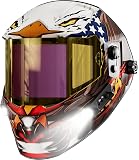 ANDELI Auto Darkening Welding Helmet 2 LED Lights Internal9.6/10View on Amazon
- 4
 TRQWH Auto Darkening Welding Helmet with Light True ColorView on Amazon
- 5
 YESWELDER Welding Helmet with Rechargeable Fan and Work LightView on Amazon
- 6
 YESWELDER Auto Darkening Welding HelmetView on Amazon
- 7
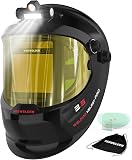 YESWELDER Auto Darkening Welding Helmet with LEDView on Amazon
- 8
 TOOLIOM True Color Auto Darkening Welding Helmet with LargeView on Amazon
- 9
 Jackson Safety Insight Auto Darkening Welding HelmetView on Amazon
When you are beveling plate, cleaning up mill scale, or tacking tubing on the fab bench, you switch between an angle grinder and a welding gun constantly. The choice between grind mode vs weld mode helmet settings comes down to whether the auto-darkening cartridge reacts to arc light or stays locked in a light shade. Weld mode activates the sensors so the lens darkens the instant an arc strikes, shielding your eyes from intense visible glare while the filter blocks harmful radiation. Grind mode disables the darkening trigger, holding the lens in its resting light state so you can see your grinding wheel, cut line, and joint fit-up without flipping the hood up. This guide explains how both modes work, how hoods switch between them, and how to stay safe in the shop.
Other welders and gear to compare
 TRQWH Auto Darkening Welding Helmet with Light True ColorCheck price on Amazon
 YESWELDER Welding Helmet with Rechargeable Fan and Work LightCheck price on Amazon
 YESWELDER Auto Darkening Welding HelmetCheck price on Amazon
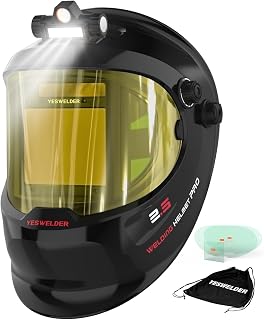 YESWELDER Auto Darkening Welding Helmet with LEDCheck price on Amazon
 TOOLIOM True Color Auto Darkening Welding Helmet with LargeCheck price on Amazon
 Jackson Safety Insight Auto Darkening Welding HelmetCheck price on Amazon
This guide links to our product roundups, where WeldGearLab gets a commission on purchases made through links on this page, and your price stays the same. Read our affiliate disclosure.
The difference in one paragraph
An auto-darkening welding helmet uses sensors to detect the light of an arc and triggers a liquid crystal filter to switch from a light shade to a dark welding shade. In weld mode, that detection system is active, so the lens darkens automatically when you strike an arc to protect your eyes while you run a bead. In grind mode, the sensor circuit is turned off or overridden, holding the optical filter in its resting light state. That gives you sufficient visibility to clean slag, grind tack welds, or cut metal without sparks falsely triggering a dark shade, and without forcing you to lift the hood.
Grind mode vs weld mode helmet side by side
| Feature | Grind mode | Weld mode | Shop takeaway |
|---|---|---|---|
| Optical filter state | Fixed light state (sensors disabled) | Variable dark state (sensors trigger darkening) | Weld mode reacts to arc light while grind mode stays in light state |
| Shade behavior | Locks in resting light shade | Darkens to selected welding shade | Grind mode holds a constant shade regardless of sparks |
| Sensor response to arc | Does not darken | Darkens automatically upon arc ignition | Sensors must detect the arc to trigger the dark state |
| Primary shop task | Surface grinding, slag cleaning, cutting prep | MIG, TIG, Stick, and plasma cutting | Switch to grind mode for surface prep without lifting the hood |
| Visibility through lens | Sufficient view for wheel placement and fit-up | Filtered view matched to arc brightness | Grind mode allows inspection without flipping the helmet |
| Face and eye coverage | Shields against flying sparks, slag, and grit | Shields against spatter, intense light, and radiation | Always wear approved safety glasses under the helmet shell |
| Primary risk if misused | Flash blindness and glare if striking an arc | Loss of visibility on grinding wheel and cut line | Verify mode setting on the hood before striking an arc |
| Switching mechanism | External knob or button, or internal switch | External knob or internal cartridge controls | External controls allow quick toggling with gloves on |
Always verify your helmet mode before striking an arc. Striking an arc with the lens locked in grind mode delivers full arc brightness straight to your eyes because the sensor circuit is disabled.
When grind mode is the better choice
Grind mode is built for metal prep and post-weld cleanup where you need eye and face protection from mechanical hazards rather than arc radiation. You want grind mode active during:
- Beveling and weld prep. Feathering joint edges, removing mill scale, or shaping plate with an angle grinder where you need full view of the wheel and contact point.
- Interpass slag removal and cleanup. Cleaning slag off stick beads, grinding out porosity, or dressing welds between passes without taking off your hood.
- Cutting and slotting. Using cut-off wheels or abrasive discs where flying sparks and metal chips would otherwise bounce off your face or safety glasses.
- Workpiece inspection and fit-up. Checking root gap, clamping pieces square, or inspecting joint alignment under shop lighting without constantly nodding the hood up and down.
For heavy grinding sessions, a dedicated face shield can offer wider peripheral vision, but an auto-darkening hood with grind mode saves constant helmet swapping during fabrication. Our best welding helmet for MIG welding guide reviews hoods that handle both shop prep and active welding.
When weld mode is the better choice
Weld mode must be engaged for every operation where an electrical arc produces ultraviolet and infrared radiation. Keep weld mode active for:
- MIG and flux core welding. Running solid wire or flux-cored wire where bright open arcs demand steady shade protection to prevent corneal flash burns.
- TIG welding at all amperages. Low-amp precision TIG or high-amp heavy fabrication runs where reliable arc detection prevents accidental lens flashing.
- Stick welding. Striking stick electrodes where heavy spatter and intense light require dependable darkening from the moment the arc ignites.
- Plasma cutting. Slicing plate or gouging with a plasma torch where arc radiation requires dark shade filtering.
If you are choosing a hood for your shop, our passive vs auto darkening welding helmet comparison explains how fixed shade glass differs from electronic cartridges, and our two sensor vs four sensor welding helmet guide breaks down arc detection reliability.
How auto-darkening cartridges switch modes
Welding helmets use different control layouts to toggle between grinding and welding. The mechanism determines how fast you can switch between tasks in the middle of a build:
- External controls. Knobs or buttons mounted on the outside of the helmet shell let you switch into grind mode with your welding gloves on. For example, TOOLIOM includes an external control knob on the TL-E600A to switch into grind mode on the fly, and TRQWH includes an external grind button on the hood shell so you do not have to remove the helmet.
- Internal controls. Cartridge switches or pushbuttons mounted on the inside face of the lens require lifting the hood to change settings. While internal controls protect the switch from mechanical impacts and grinding grit, they slow down your workflow when alternating frequently between tacking and grinding.
- Independent lenses and drop-in cartridges. Some fabricators use standalone auto-darkening lenses inside standard hoods. Ridge Products lists the Heir 2.0 lens with a grind mode built into a 2″ x 4.25″ x 0.19″ cartridge designed to fit 2×4 or 2×4.25 hoods.
Switching speed also matters when returning to weld mode. Published manufacturer specifications show rapid reaction ratings: TOOLIOM lists 1/25000s auto-darkening switching speed on the TL-E600A, and TRQWH lists 1/25000s fast switching (with 1/20000 sec noted in bullets). TRQWH also lists delay settings from 0.2s to 1.0s, which control how quickly the filter returns from dark to bright state after the arc stops. For dial-in instructions, see our guide on welding helmet sensitivity and delay settings.
Shade ratings and optical clarity
When in grind mode, the helmet filter rests at its light state. The light state is a lightly tinted filter that blocks harmful radiation while allowing clear visibility under shop lighting. In published specifications, the light grind state is DIN4 on the TRQWH helmet. ANDELI also specifies a DIN4 rating for its 3.72×1.76 inch side view windows.
When switched into weld mode, the cartridge darkens to an adjustable welding shade. Ridge Products lists an adjustable shade 5-13 range (with shade 8-13 also selectable) on its Heir 2.0 lens, rated down to 5 Amps on TIG. ANDELI lists UV/IR protection up to shade DIN16.
Optical clarity ratings measure distortion, blurriness, and angle consistency through the viewing glass. TOOLIOM lists 1/1/1/1 optical clarity on its 3.64″ x 1.67″ viewing area, ANDELI lists 1/1/1/1 optical clarity on a 3.94×3.74 inches viewing area, and TRQWH lists 1/1/1/2 optical clarity.
Sensor counts also vary by helmet class. Hobart lists three independent arc sensors across a 7.1- square-inch viewing area on the 770869, Hobart lists four independent arc sensors with a 9.3 sq in view on the 770873, and ANDELI incorporates 6 arc sensors.
On helmet weight, TOOLIOM lists 1.14 lbs, Hobart lists 1.2 pounds for the 770869 and 1.25 pounds for the 770873, and ANDELI lists 1.3 pounds in its spec table.
Warranty terms vary across manufacturers. Hobart provides a limited 2 year manufacturers warranty on both the 770869 and 770873, while ANDELI states a 1 Year warranty.
Safety hazards: Flash blindness and mechanical impact
The main hazard with a grind mode helmet is forgetting to switch back to weld mode before striking an arc. When the helmet is locked in grind mode, the sensor circuit is disabled. If you drop the hood and strike an arc, the cartridge stays in its resting light state. Auto-darkening filters certified to safety standards maintain continuous ultraviolet and infrared filtering even in their light state (TRQWH states its lens resists 99% of harmful light to the eyes, meeting ANSI Z87.1, EN379, and CSA Z94.3 standards). However, striking an arc in grind mode exposes your eyes to intense visible light, causing severe glare, temporary flash blindness, and eye fatigue.
Conversely, attempting to grind while the helmet is in weld mode is equally hazardous. The shower of grinding sparks can trigger the arc sensors, plunging the lens into shade 8-13 darkness. When the lens darkens while an abrasive disc is spinning at high speed against metal, you cannot see your workpiece or where the grinder is cutting, creating severe kickback and wheel-jamming hazards.
Always wear ANSI-approved safety glasses under your welding helmet. A welding helmet protects against sparks and spatter, but high-speed fragments from a shattered grinding wheel can enter around the shell perimeter. Keep flammable debris away from your grinding station and maintain a clear, well-ventilated workspace. For workplace safety guidance, see the OSHA welding overview and our Safety Disclaimer.
FAQ for welders
Can you weld while the helmet is in grind mode?
You should never strike an arc while your helmet is set to grind mode. In grind mode, the sensor circuit is disabled and the lens will not darken, exposing your eyes to intense arc glare. While the lens filter still blocks ultraviolet and infrared radiation, the visible flash can cause temporary blindness and eye fatigue.
Does grind mode protect against grinding sparks and flying debris?
Yes, the front protective cover lens and helmet shell shield your face and eyes from grinding sparks, slag chips, and dust. However, you should always wear approved safety glasses underneath the hood for secondary impact protection. If a cutoff wheel or grinding disc shatters, flying fragments can bounce up under the helmet shell.
Why does my helmet darken when I am using an angle grinder?
Your helmet darkens during grinding because it is still set to weld mode instead of grind mode. Heavy streams of grinding sparks produce enough light to trigger sensitive arc sensors on the cartridge. Switching the helmet into grind mode temporarily locks the sensors so the lens remains in its resting light state.
Is an external grind button better than an internal switch?
An external control knob or button is more convenient because you can toggle modes without taking off your welding gloves or lifting the hood. Internal switches require flipping the hood up to adjust settings, which takes more time during busy fabrication work. However, internal controls can never be bumped or switched accidentally while working.
How do you know if your helmet is in grind mode before welding?
Many modern helmets feature an indicator light inside the viewing area that flashes when grind mode is active. You can also check your external control knob position or check lens response under an overhead shop light before striking an arc. Getting into the habit of confirming your mode setting protects you from unexpected flash blindness and glare.
Related: best auto darkening welding helmet, best true color welding helmet, how to use auto darkening welding helmet, and the welding helmets hub.