CNC Machine for Beginners: What to Consider
A CNC machine for beginners turns a design file into a cut part, and the right first machine is the one whose work area, spindle and controls match the projects you plan to make.

On this page
Top picks at a glance
As an Amazon Associate I earn from qualifying purchases.
- 1
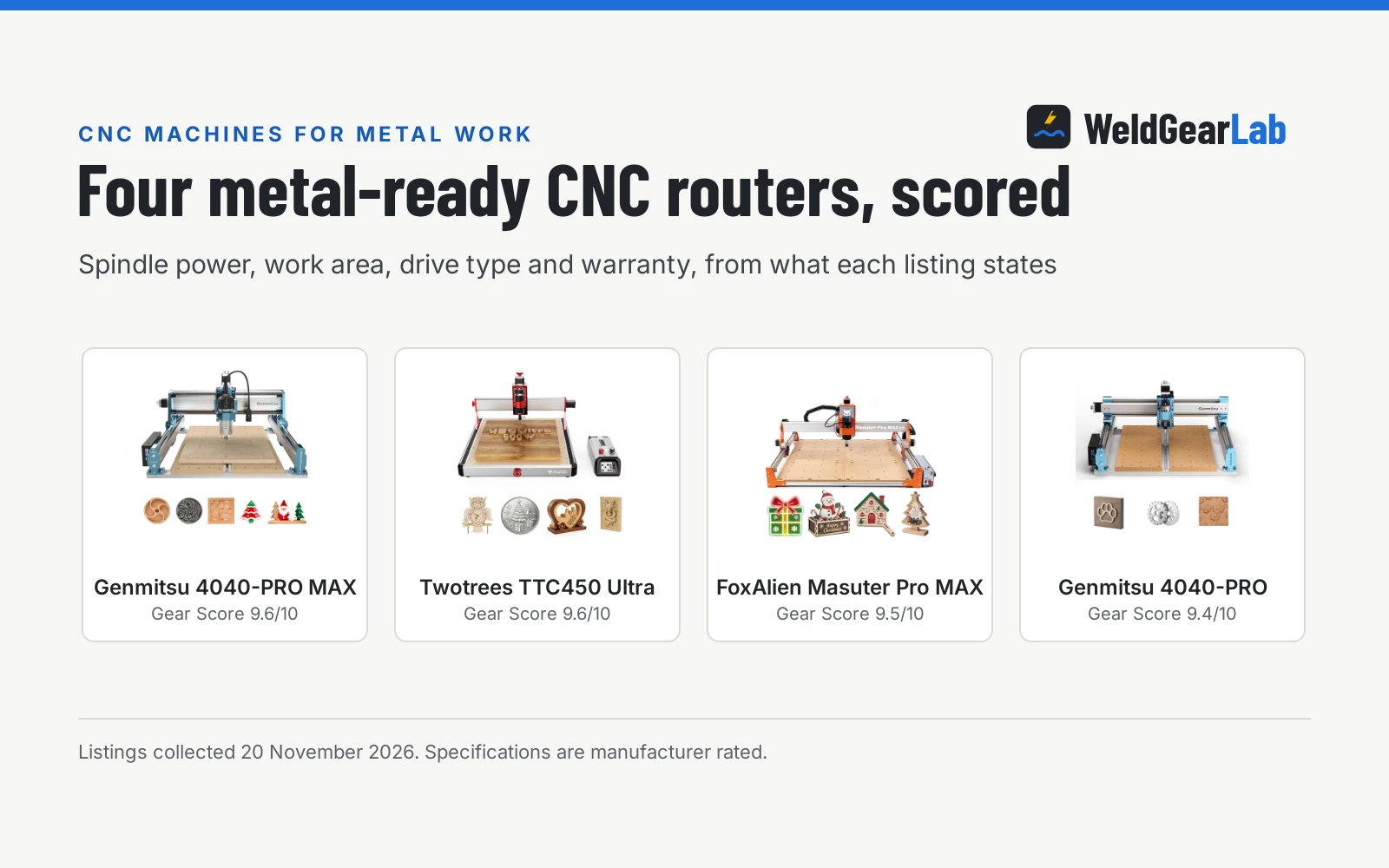
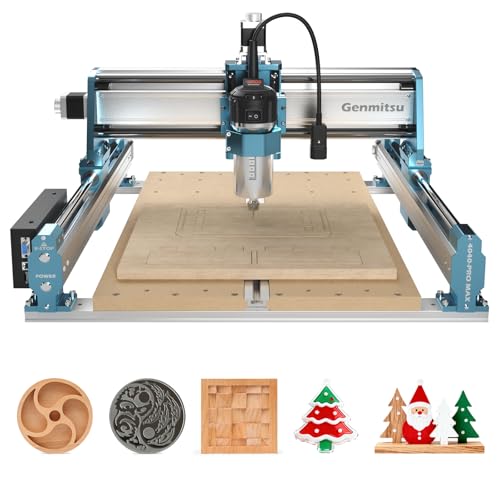 Genmitsu 4040-PRO MAX CNC Router Machine with 710W Spindle9.6/10View on Amazon
- 2
 Twotrees TTC450 Ultra CNC router machine 465x465mm Large Work9.6/10View on Amazon
- 3
 FoxAlien Desktop CNC Router Machine Masuter Pro MAX9.5/10View on Amazon
A first project usually starts with a simple idea: a sign for the shop door, a bracket that holds a shelf, or a small box with a lid that fits. A CNC machine for beginners takes that idea from a design file and cuts it out of wood, plastic or soft metal while the operator watches the tool move. The machine does the cutting, and the operator does the planning, the setup and the checks that keep the cut on track.
This guide links to our product roundups, where WeldGearLab gets a commission on purchases made through links on this page, and your price stays the same. Read our affiliate disclosure.
What a CNC machine for beginners is
A beginner CNC machine is a router or mill whose cutting tool moves under computer control along 3 axes, following a design file instead of a hand guided path. The operator loads the material, fits a bit, sets the zero point and starts the program, and the machine repeats the same path every time the file runs. A beginner machine keeps that setup simple, with controls that run from a touchscreen, an app or a computer. The Genmitsu Cubiko is a desktop machine with an enclosure and auto Z-probing, while the Axiscreat 6060 (on Amazon) is a larger belt driven router with a 23.6 by 23.6 by 2.95 inch work area and a 710W spindle.
Beginner machines cut a narrower range of materials than larger routers. The Cubiko listing names wood, acrylic, PCB, plastics and suitable soft metals, and the Axiscreat listing names wood, acrylic and MDF. Bits come in small cutting diameters, from 0.8 to 3.0mm in one SainSmart set, and in shank sizes of 1/8 inch, 1/4 inch and 3/8 inch.
Two beginner machines, side by side
| Genmitsu Cubiko | Axiscreat 6060 | What it means for a beginner | |
|---|---|---|---|
| Format | Desktop, enclosed | Belt driven router, linear rail Z axis | An enclosed desktop machine contains chips |
| Work area | Not stated | 23.6 by 23.6 by 2.95 inches (600 by 600 by 75 mm) | Match the work area to the parts you plan to cut |
| Spindle | Not stated | 710W trim router, 6000 to 30000 RPM, 6 preset speeds | Spindle power and speed range decide what the machine can cut |
| Control | App, WiFi, PC software, offline control | 4.3-inch touchscreen offline controller | Offline control runs the machine without a PC |
| Setup | Pre-assembled, auto Z-probing | Modular, setup in 20 minutes, automatic tool setter | A machine that sets up in minutes leaves more time for cutting |
| Materials | Wood, acrylic, PCB, plastics, soft metals | Wood, acrylic, MDF | Check the material list before buying |
| Warranty | 1 Year Warranty | Not stated | A stated warranty term covers the first year |
| Positioning | ±0.1 mm positioning accuracy | Not stated | Accuracy matters most for PCB traces and fine work |
The Cubiko suits a desk or a small bench, with its enclosure containing chips and its cover pausing the cut when opened. The Axiscreat suits larger parts, with a spindle that runs from 6000 to 30000 RPM across 6 preset speeds. Both machines offer control without a computer nearby: the Cubiko runs through the Genmitsu App, WiFi or offline control, and the Axiscreat runs from a 4.3-inch touchscreen offline controller.
How to choose a first machine
Start with the size of the parts you plan to cut. The Cubiko measures 13.0 by 13.0 by 12.48 inches overall, so it fits on a desk and suits signs, plaques and circuit boards. The Axiscreat gives a work area of 23.6 by 23.6 by 2.95 inches, so it suits larger panels and furniture parts.
Next, look at the spindle. The Axiscreat lists a 710W trim router spindle with a 6000 to 30000 RPM range and 6 preset speeds, which covers wood, acrylic and MDF at different speeds. The Cubiko listing does not state a spindle power figure, and its strength is the enclosed desktop format and the ±0.1 mm positioning accuracy the maker states for PCB traces and fine work.
Then check the setup, the controls and the power supply. The Cubiko comes pre-assembled and sets tool height with auto Z-probing after the operator enters the material thickness. The Axiscreat arrives as a modular machine with setup in 20 minutes and an automatic tool setter, and its 4.3-inch touchscreen controller runs the machine offline with two 110V sockets for the router and a vacuum. The Axiscreat is factory set to 110V, and its control box switches to 220V while its router spindle stays 110V only. Check the voltage on the listing and the manual before ordering.
End mills: the bits that do the cutting
The bit does the cutting, and a beginner set covers the common shapes. Flat nose end mills cut flat bottoms and straight edges, ball nose bits carve curves and reliefs, and V-groove bits cut letters and lines at 30, 60 and 90 degrees. Shank size has to match the collet: listings here use 1/8 inch, 1/4 inch and 3/8 inch shanks. Cutting diameters run from 0.8 to 3.0mm in the SainSmart Nano Blue set and 1/32 inch in a SpeTool set. A 3-flute bit with a 3/8 inch shank and a 3-1/2 inch total length suits aluminum and other non-ferrous metal. See the end mill types guide for the full list of shapes, and the best 1/4 inch end mill for CNC roundup for sets built around the common 1/4 inch shank.
Bits wear, so keep spares. A 10 piece set gives room to break a bit while learning, and a 2-pack of 1/4 inch bits gives a backup for the size used most. Match the bit coating and flute count to the material: the HQMaster 1/4 inch 3-flute bit lists HRC 60 carbide with a Nano Blue coating for aluminum, copper and composite materials, while the YOKISHUN 5 (on Amazon) piece beginner set lists aluminum, copper, plywood, MDF, hardwood, softwood and PVC.
A first project, step by step
Pick a flat project for the first cut, such as a sign or a simple bracket, and draw it in the design software or load a ready file. Clamp the material flat to the bed so it cannot shift, fit the bit the design needs, and set the zero point with the machine’s probing routine or by hand following the manual. Run the program at a slow feed while learning, and watch the first pass to check that the bit cuts where the design says it should.
Keep the work area clear and the chips out of the way. The Cubiko enclosure helps contain chips and debris, and its cover pauses the machine when opened. Measure the finished part against the design, note what to change, and save the file with the settings that worked.
Safety basics for a first CNC
A CNC machine spins a sharp cutter at high speed, so treat it like any other metalworking machine. Wear eye and face protection, clamp the work before starting, keep guards in place, and keep gloves away from rotating parts. Never reach into the work area while the spindle runs, and use the enclosure cover or the pause control to stop the machine before adjusting the work. See the OSHA machine guarding guidance and the Safety Disclaimer.
FAQ for welders
What can a beginner CNC machine cut?
Wood, acrylic, PCB, plastics and suitable soft metals on the enclosed desktop machine, and wood, acrylic and MDF on the larger belt driven router. The bit sets list more materials, including aluminum, copper, plywood, MDF, hardwood, softwood, PVC, nylon, resin and steel, but a bit listing does not mean the machine can cut that material, so check the machine’s material list before cutting a new material.
How much space does a beginner CNC machine need?
The desktop machine in this guide measures 13.0 by 13.0 by 12.48 inches, so it fits on a desk or a small bench. The larger router needs bench space for a work area of 23.6 by 23.6 by 2.95 inches plus room around it for the controller and the material.
Do I need experience to run a CNC machine?
No. Beginner machines are built for a first time operator: the desktop machine comes pre-assembled with auto Z-probing and app control, and the larger router sets up in 20 minutes with a touchscreen controller and an automatic tool setter.
What bits do I need to start?
A small set of flat nose bits in 1/8 inch and 1/4 inch shanks covers most first projects, with a V-groove bit for lettering and a ball nose bit for curves. The sets here include 2-flute and 3-flute bits, with cutting diameters from 0.8 to 3.0mm and V-groove angles of 30, 60 and 90 degrees.
Can a beginner CNC machine cut metal?
Soft metals, yes. The desktop machine lists suitable soft metals among its materials, and the bit sets list aluminum, copper and magnesium alloys, plus steel in two sets. Start with aluminum and copper, and check the machine listing for the metal before cutting it.
What power supply does a beginner CNC machine need?
The larger router in this guide is factory set to 110V, with a control box switch for 220V mains and a spindle that stays 110V only, so the maker recommends a step down transformer for 220V mains. Check the voltage on the listing and in the manual.
Related: types of CNC machines, best CNC milling machine, CNC mill setup, CNC mill types, and best CNC mill for steel. Also see the cnc machine for beginners hub and the end mill types guide.